Two tools, one register
Crews use the device app where the work happens. Owners, managers and auditors use the console in a browser, on a computer or a device. Both write to the same register, both keep the history, and both speak English and Turkish.
For crews
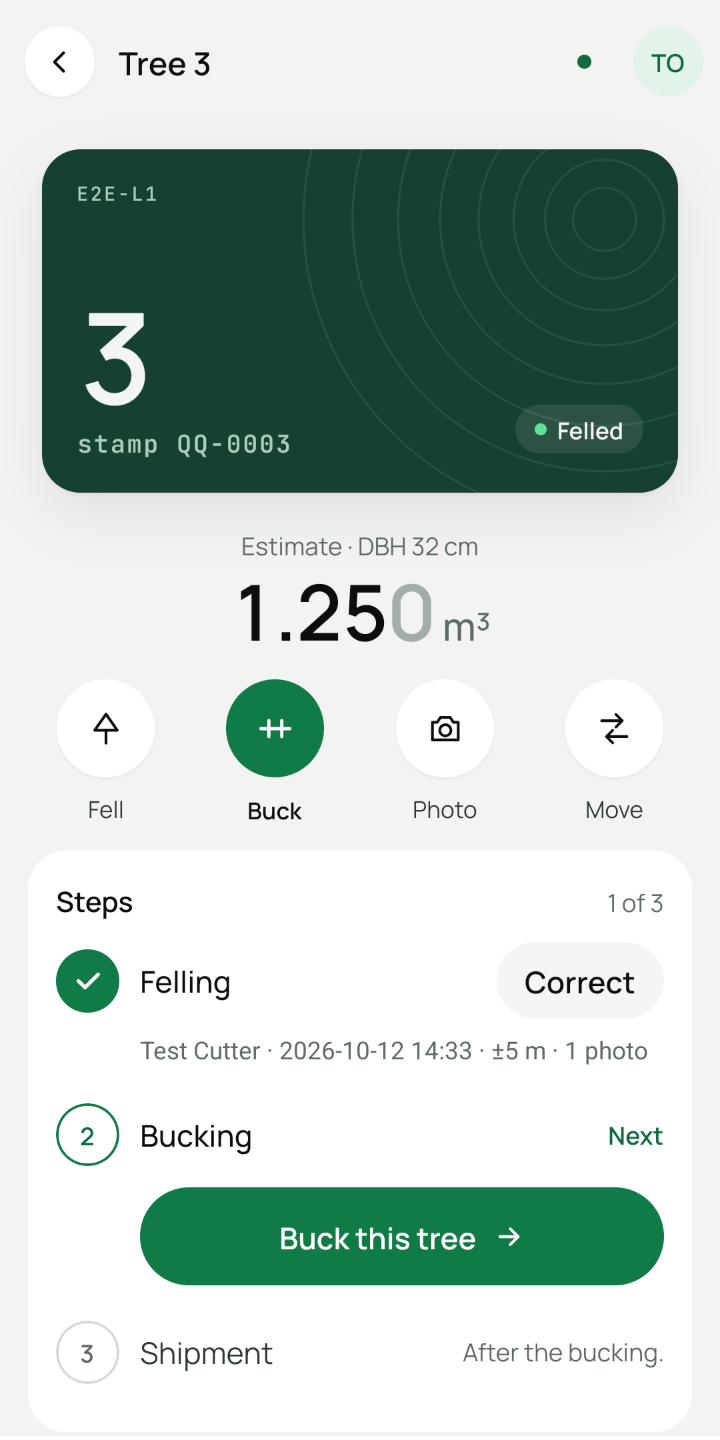
The device app
Made for the landing: large targets, a number pad, and no signal needed. It runs on Android; the iOS version is built and going into testing.
-
Find a tree in seconds
Type the number from the stamp on a number pad. The tree’s page shows what has been done and what comes next.
-
Felling with evidence
A photo of the stamp, with framing guidance on screen, and the location from the device’s own GPS. An optional note records the tree’s condition.
-
Bucking into logs
Lengths and diameters on the keypad. The bucker and the time are remembered, so a busy day stays fast.
-
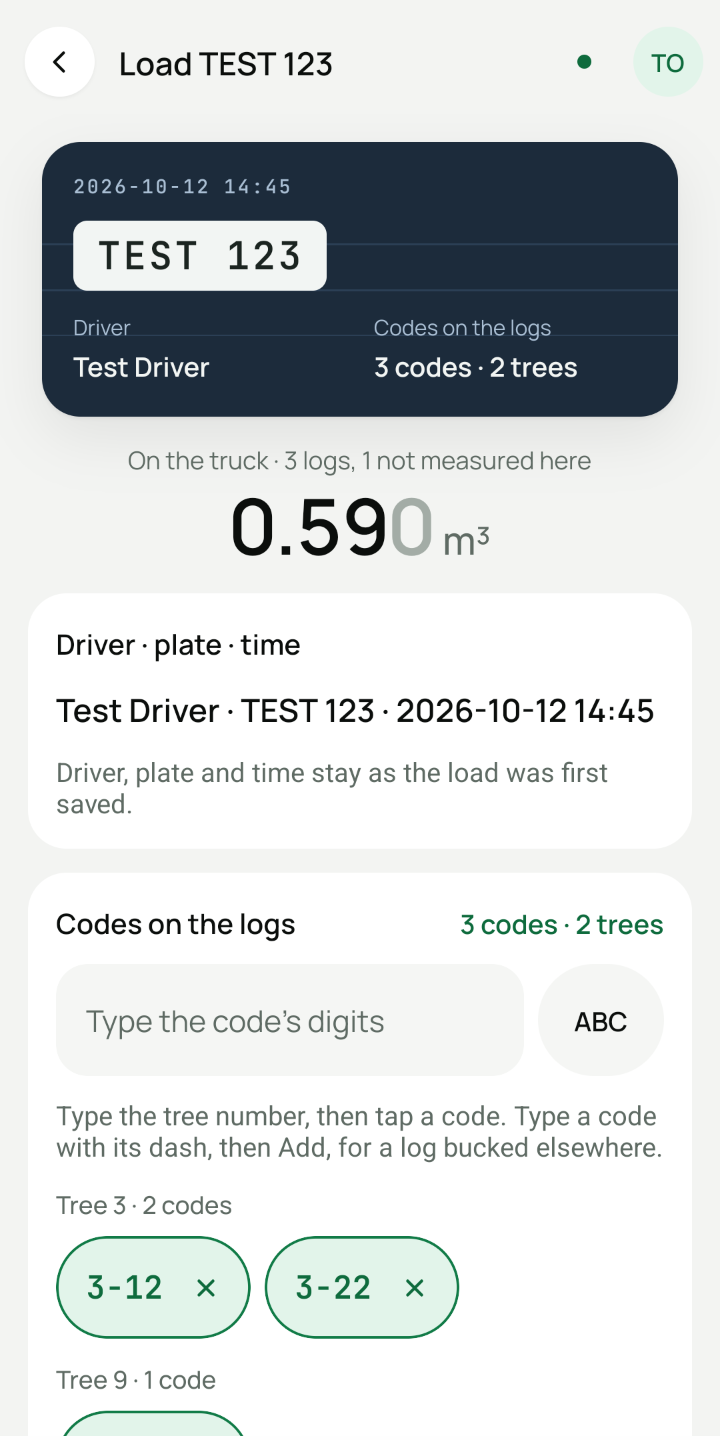
Truck loads
Build a load from the number pad or from the tree’s page, with the driver and the plate remembered. Untagged material has rows of its own.
-
Undo, then history
A save can be undone for ten seconds while it has not been sent. After that, corrections are recorded beside the original, never over it.
-
Readable outdoors
A Sunlight look, black on white, and three text sizes, set on each device.
-
Set up with a QR code
A new person joins by scanning the invitation’s QR code from the console. Nobody types a long link at the landing.
-
Locked when it should be
Each person unlocks with their own PIN. The app locks itself after half an hour in the background, and a revoked device wipes its data the next time it connects.
For the office
The console
Everything the office needs, in a browser, on a computer or a device.
-
Lots and the tree list
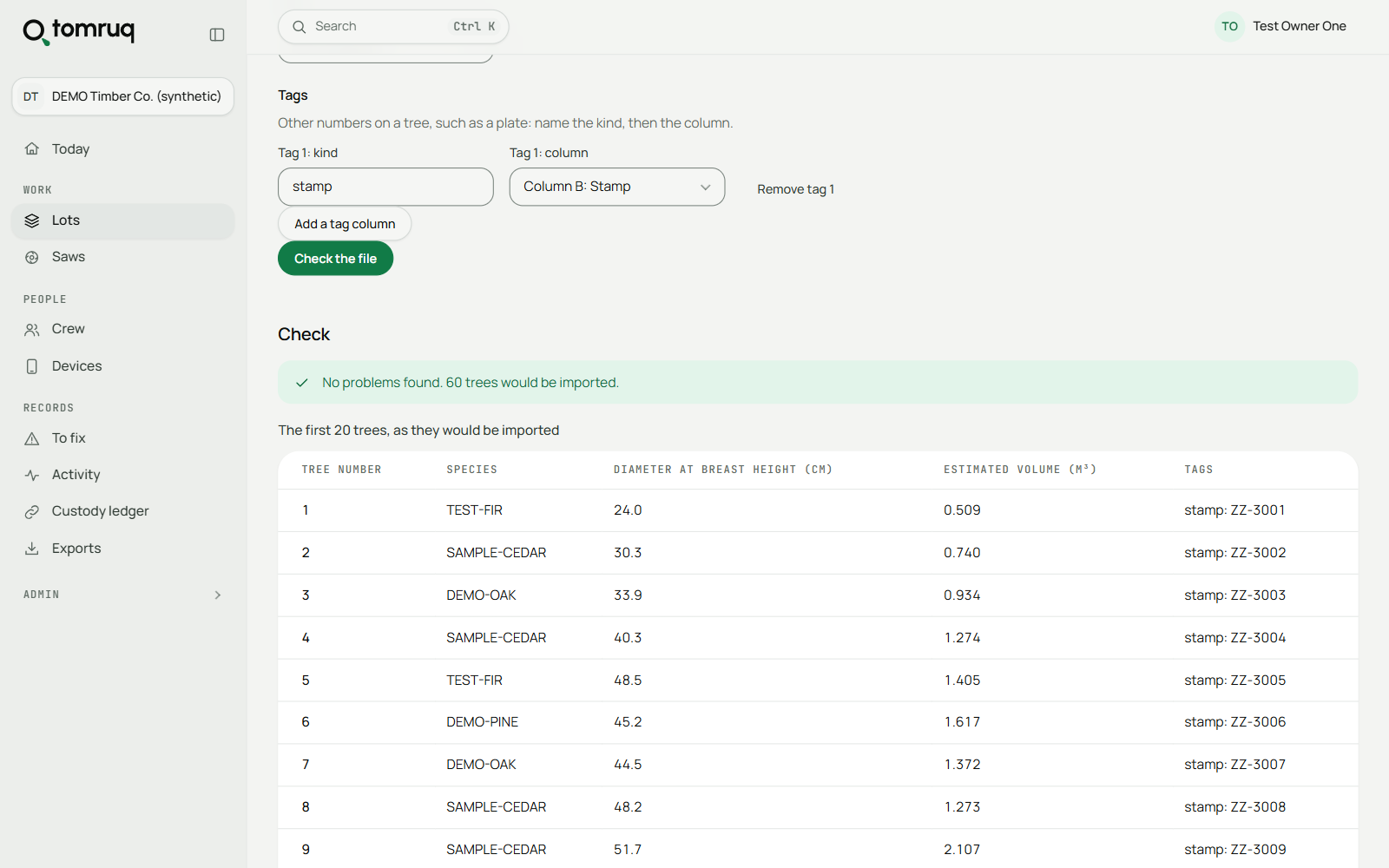
Import the forestry office’s tree list from CSV, Excel or JSON, check it, and start the lot.
-
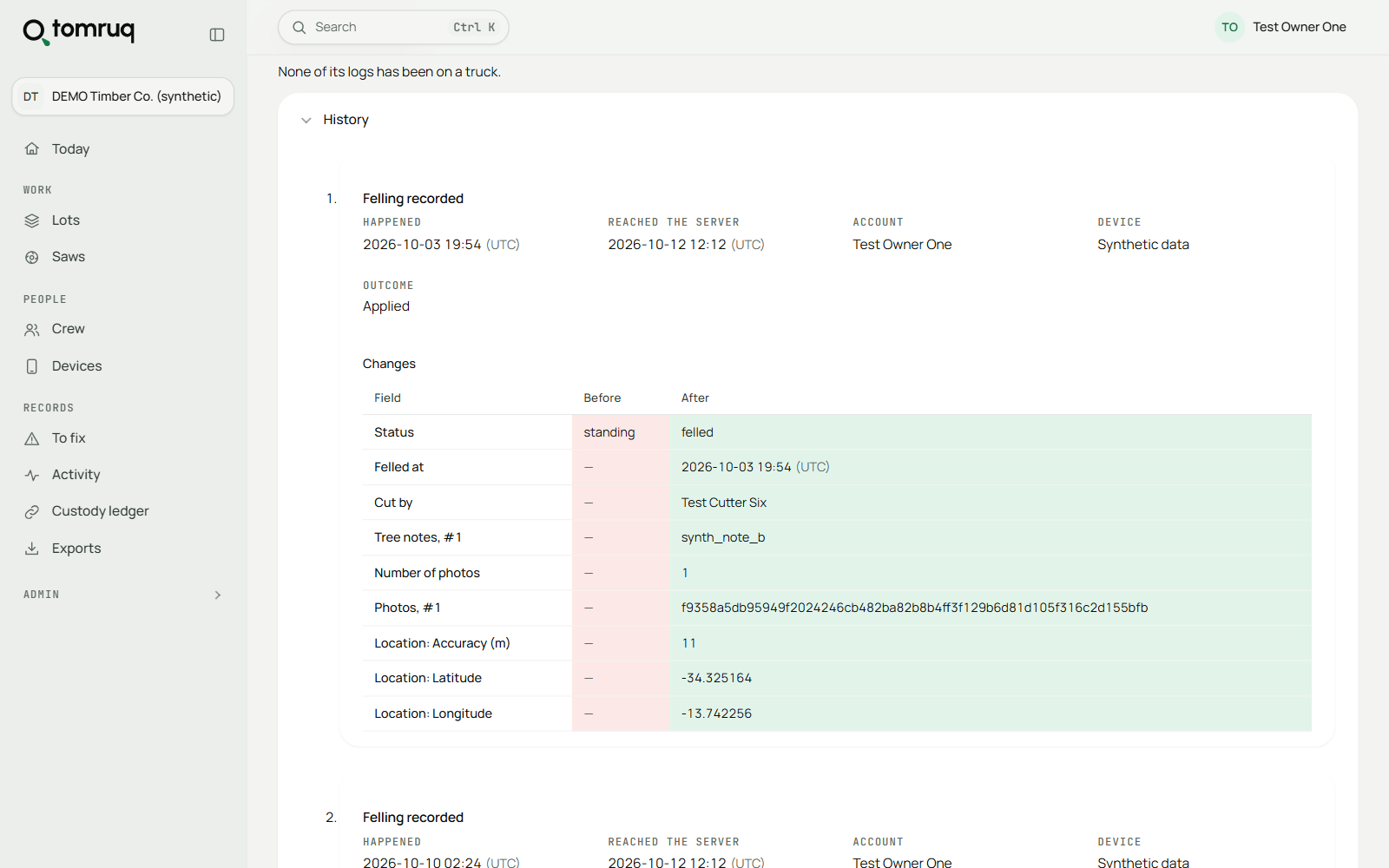
Every record, with its history
Trees, logs and loads, each with who recorded it and on which device, and every correction beside what it replaced.
-
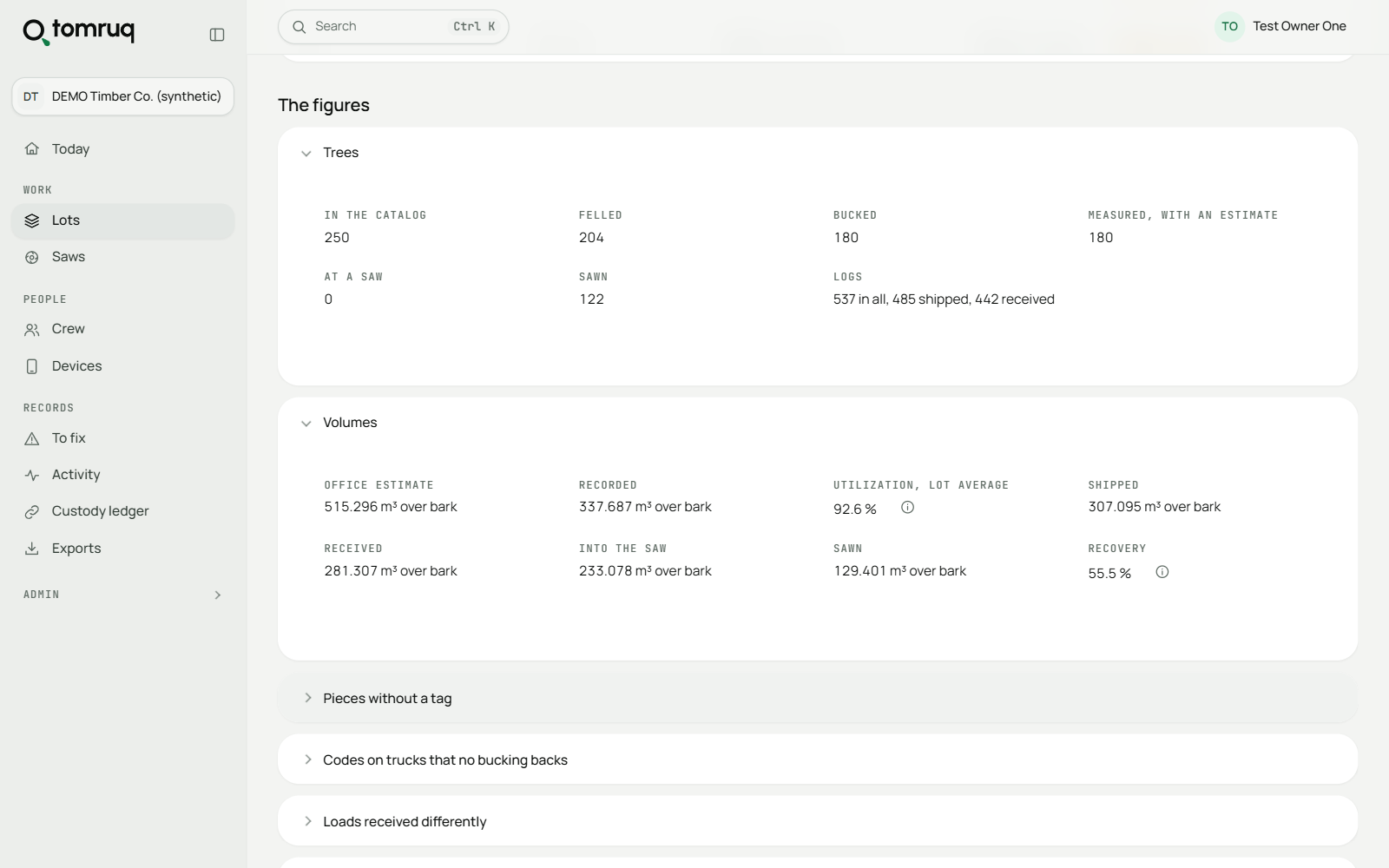
Reconciliation and flags
The lot’s estimate against what was recorded, shipped, received and sawn, with the trees that need a second look.
-
Exports
The lot workbook with its flags, and the load manifest, as Excel or CSV. Any table in the console downloads as CSV.
-
Alerts by email
A daily email lists only what is new and needs attention, sent to whoever can deal with it, and a weekly summary. Each person chooses which mails they get.
-
People and devices
Invite people in four roles: owner, manager, field user and auditor. See every device, and revoke one that is lost.
-
To fix
Records the server could not accept, in one list, with what each one needs to be resolved.
-
Personal data, guarded
Workers’ identifiers are masked. Reading one in full takes a password and a reason, and is recorded.
-
Search everything
Find a tree, a log, a load or a person from any page with Ctrl+K.
-
From the device to the console
An owner or manager opens the console from the device app, already signed in, after their PIN.
For the yard and the mill
Yard intake and the saw
Loads are checked in at the yard against what was sent. At the saw, each log goes on by itself and comes off as numbered boards with their labels, so recovery is known per log and certified timber stays segregated.
Getting started
-
We import your tree list
Send the file the forestry office gave you, in whatever shape it comes. We do the first import for you.
-
Training at the landing
Crew training is designed to fit into twenty minutes. The defaults are set so nobody has to change them.
-
Your data stays yours
Export it whenever you like, from the console, without asking us.